Trevor Sporen
Product
Designer
I design the screens and build the systems behind them. Based in Utrecht and open to full-time product design roles.
Recent Projects




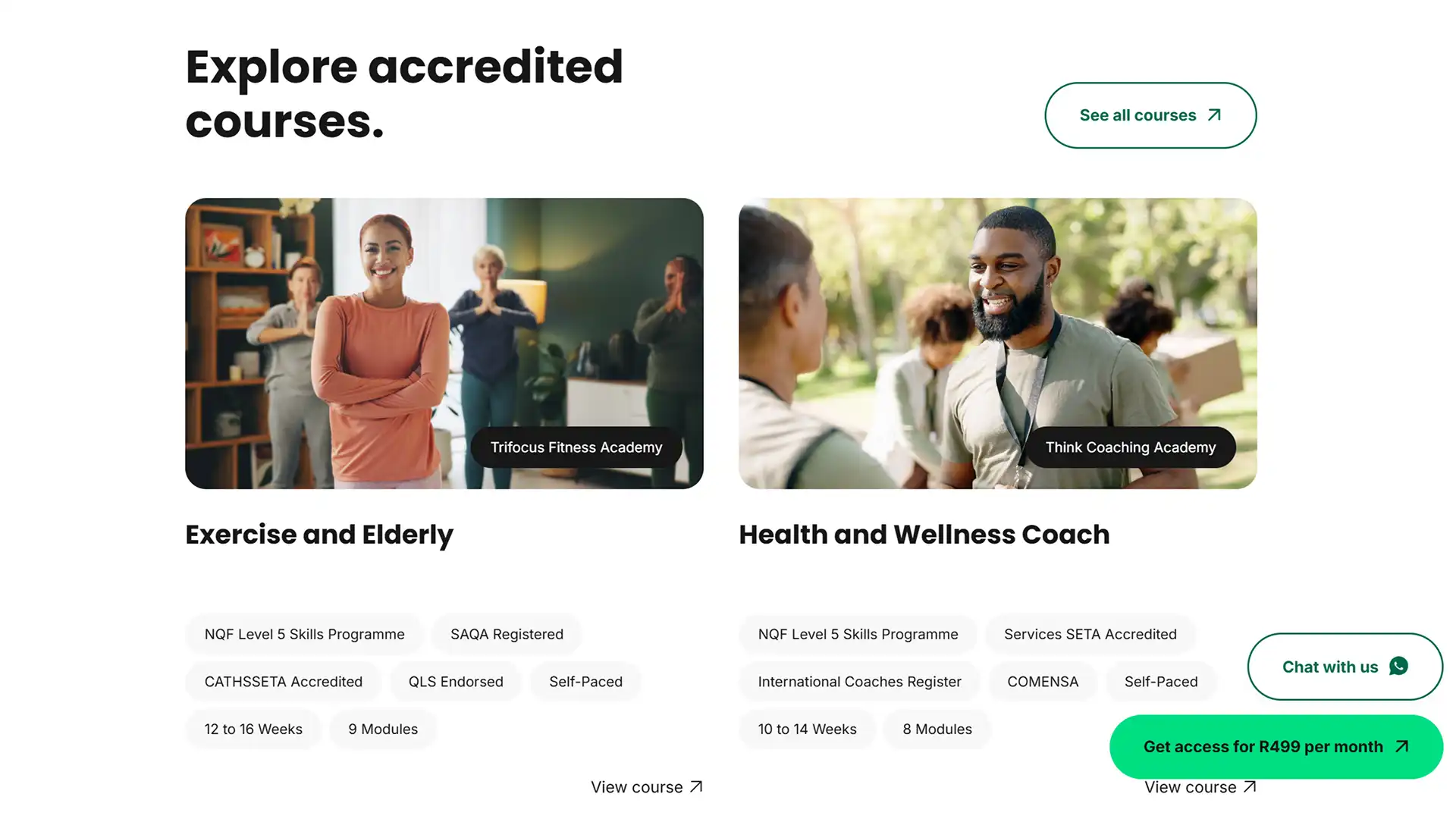
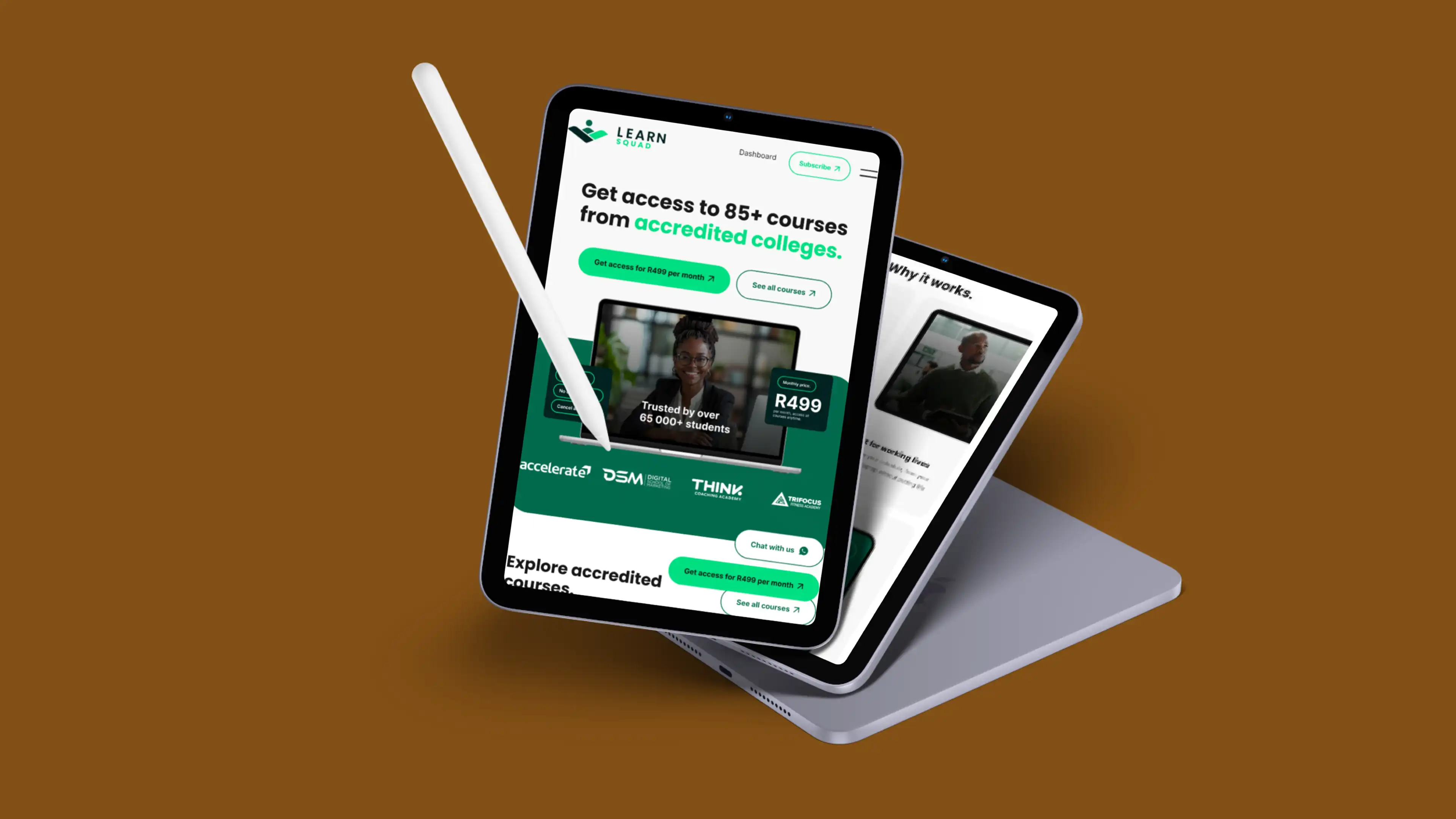
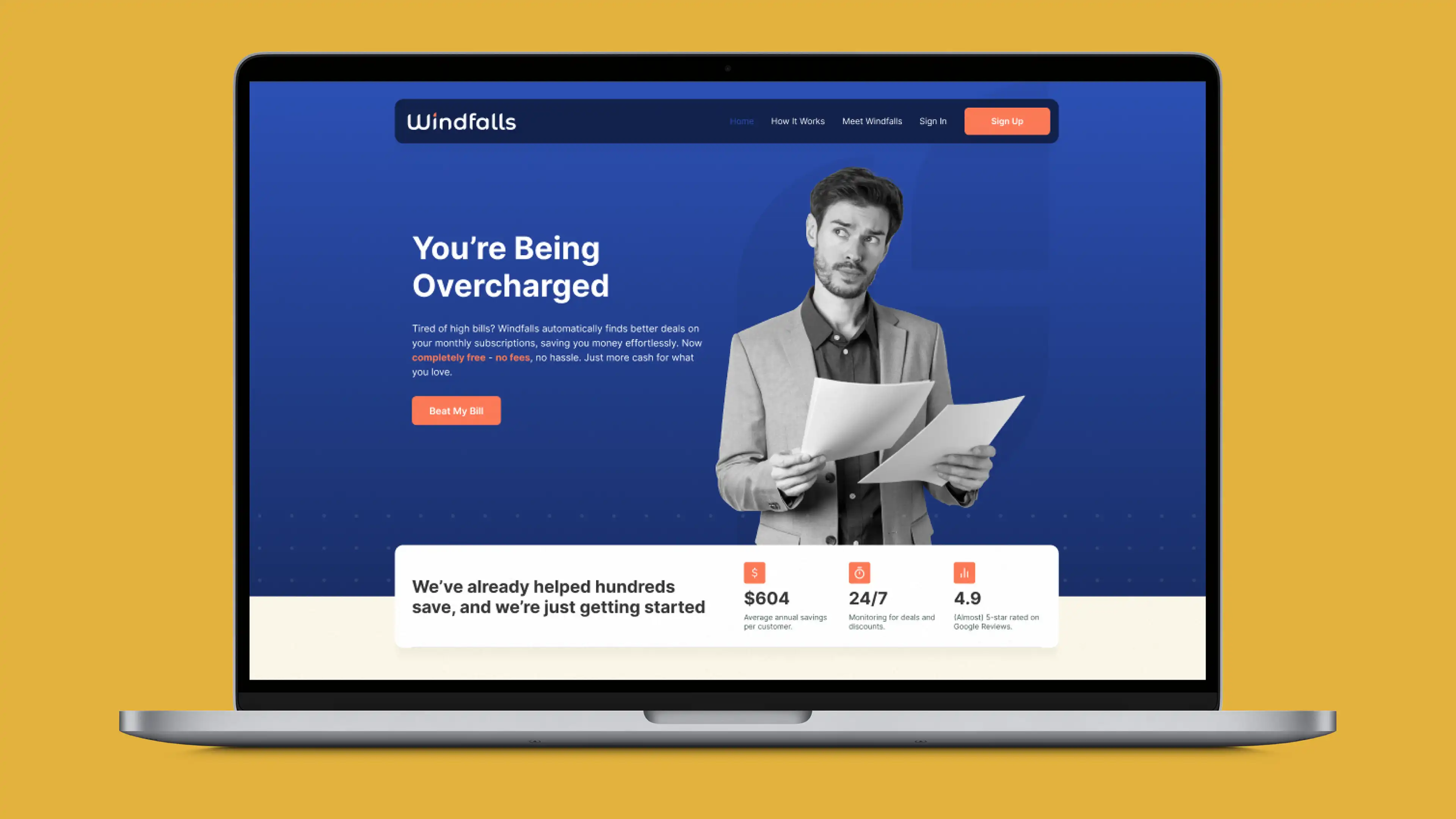
LearnSquad lets learners build a profile and get discounted rates on courses from partner colleges. The first version sold courses one at a time, with a Webflow front end, Shopify handling payments and an Airtable webhook I built to pass confirmed orders to the colleges. It worked, but every purchase passed through three platforms, each adding cost and another point of failure.
Randgo then decided to move to a subscription model to keep learners in the ecosystem, which was also the chance to take the extra platforms out of the loop.
I was the product designer from inception and stayed closely involved as the product evolved. On the subscription relaunch that meant scoping the functional requirements and user flows in FigJam, outlining the database and setting up the Supabase tables, consulting the developers on edge functions, updating the Figma designs and building the front end in Webflow.
I also ran all QA (building the lists for developers to work through), wrote all the systems documentation and worked directly with everyone involved - Randgo's product owner and developer, a freelance coder and the developer on the college side.
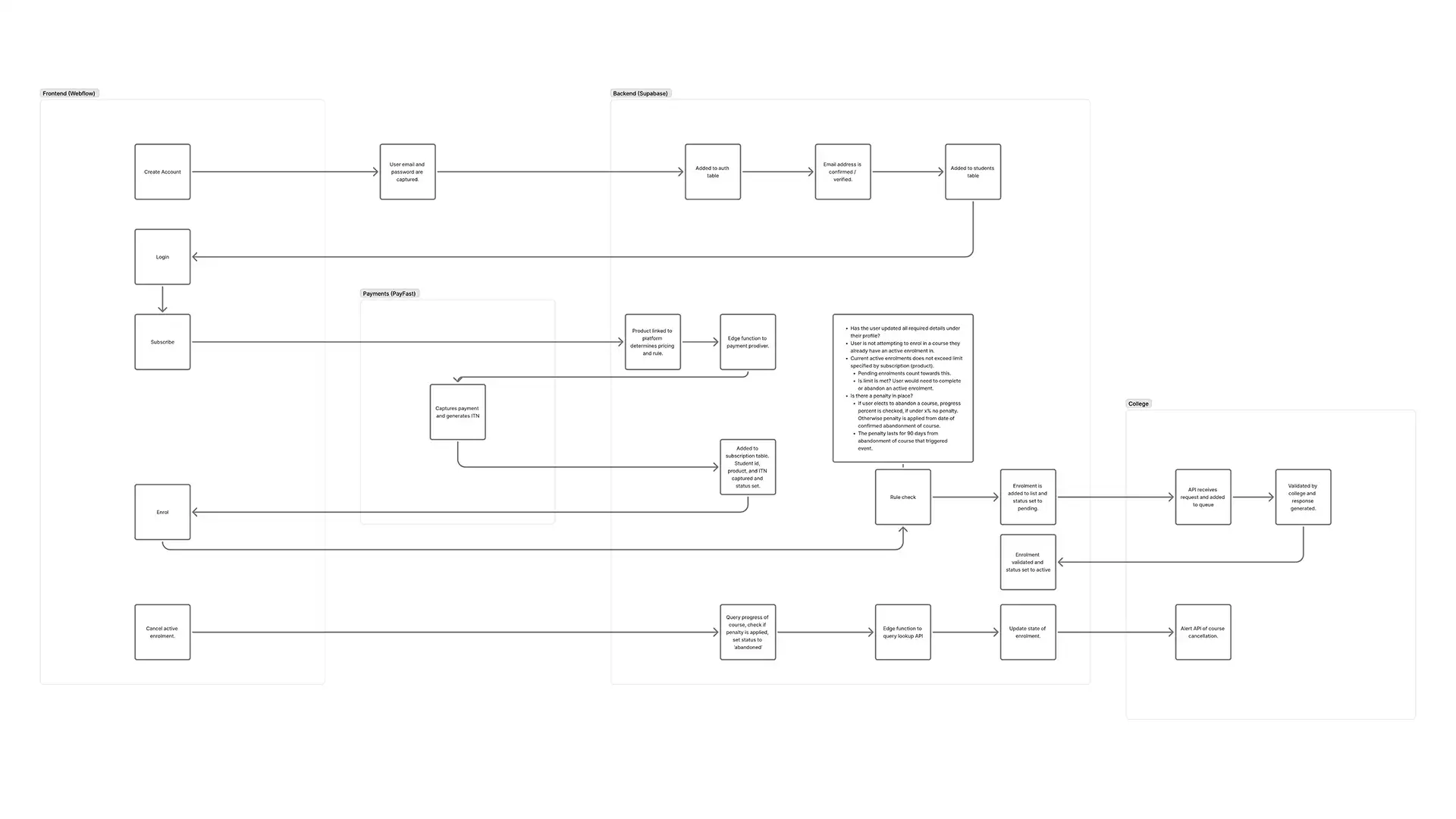
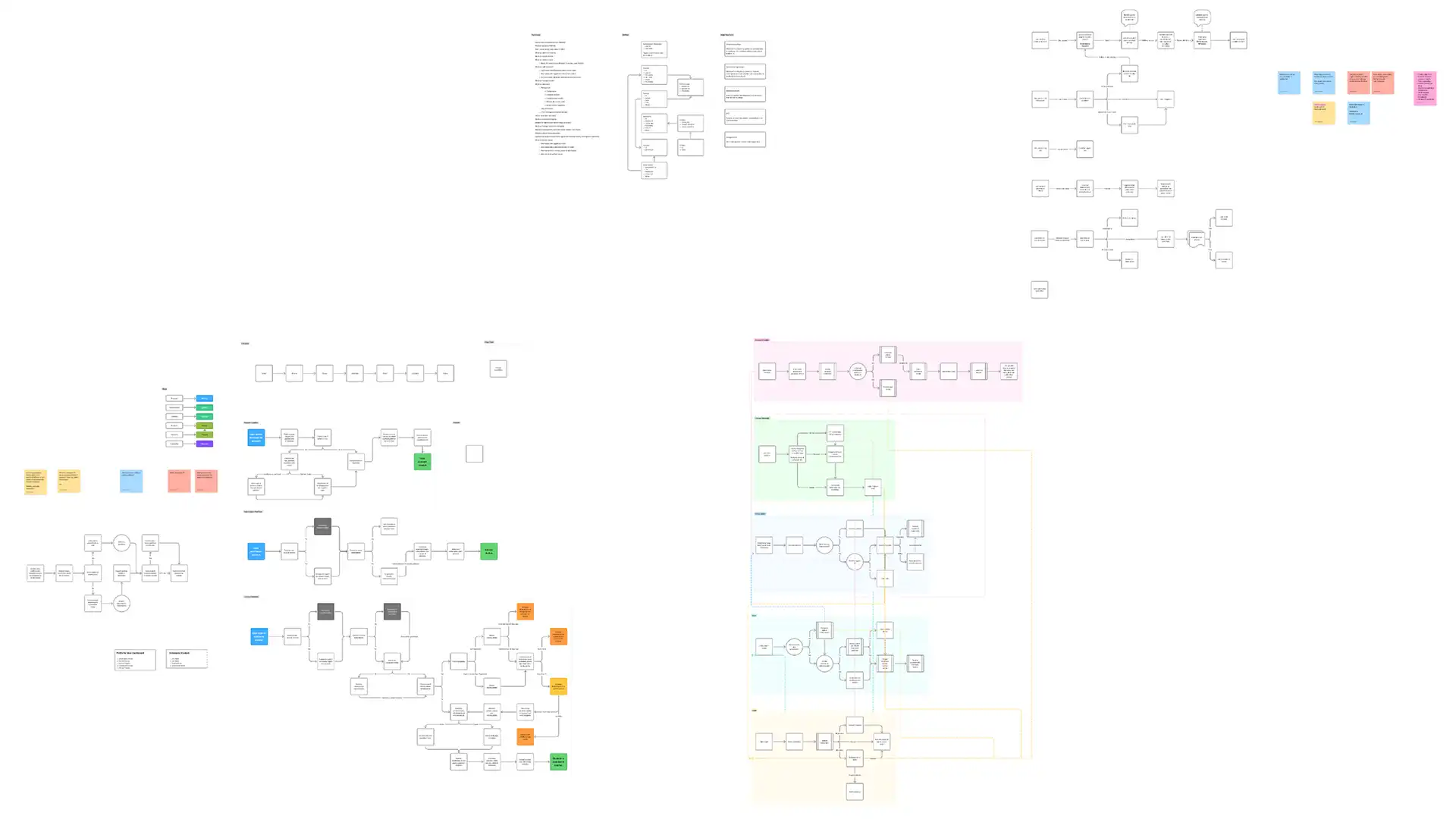
This is the part I'm proudest of. For the learner, enrolling should feel like one step. Behind it, the system checks a set of profile flags to work out where the learner is in the process and sends them to the right place - finishing their profile, paying or picking a course. The rules it checks:
The data moves from Webflow (account, login, subscribe, enrol, cancel) to PayFast (payment and payment confirmation), then to Supabase (auth, student and subscription tables, edge functions) and finally to the college's API, where requests are queued, validated and answered.
There wasn't much competitor analysis to draw on, so the goal was simple: remove as much friction from sign-up as possible. Moving from the Shopify checkout to Supabase and PayFast roughly halved the steps from sign-up to enrolment and took Shopify and Airtable out of the stack, saving €300+ a month in platform costs.
I also set up Webflow variables so the platform could be replicated for partner brands, and it has since been set up for 3+ of them.
LearnSquad is live with 100+ courses from four partner colleges and 100+ learners, and the product owners were happy with the relaunch. Uptake has been a little slower than under the original pay-per-course model, which I put down to limited marketing around the relaunch.
I had less database and development knowledge going in than I do now. Today I'd spot the restrictions between the two systems earlier and know which questions to ask before building a flow around them.
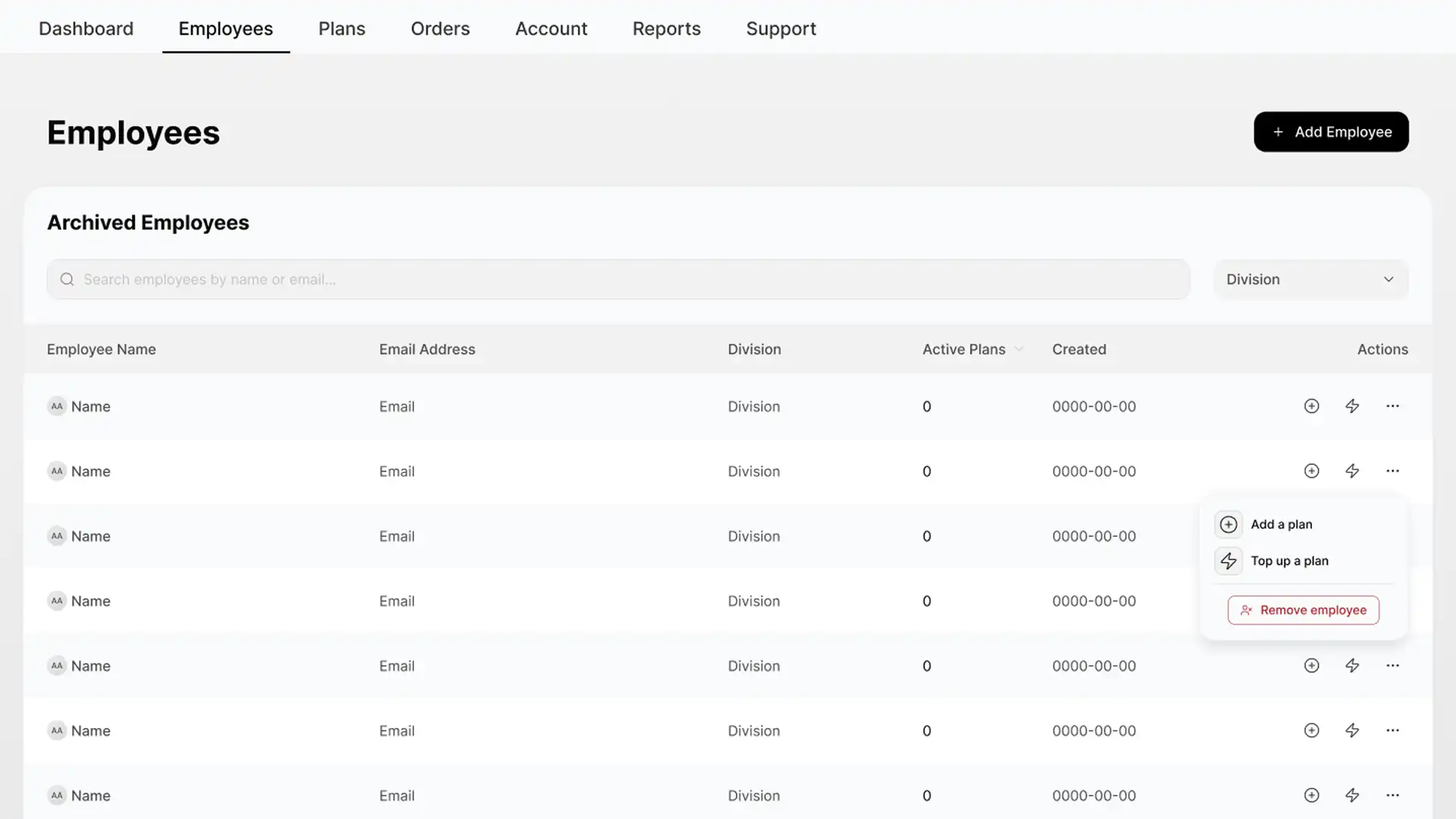
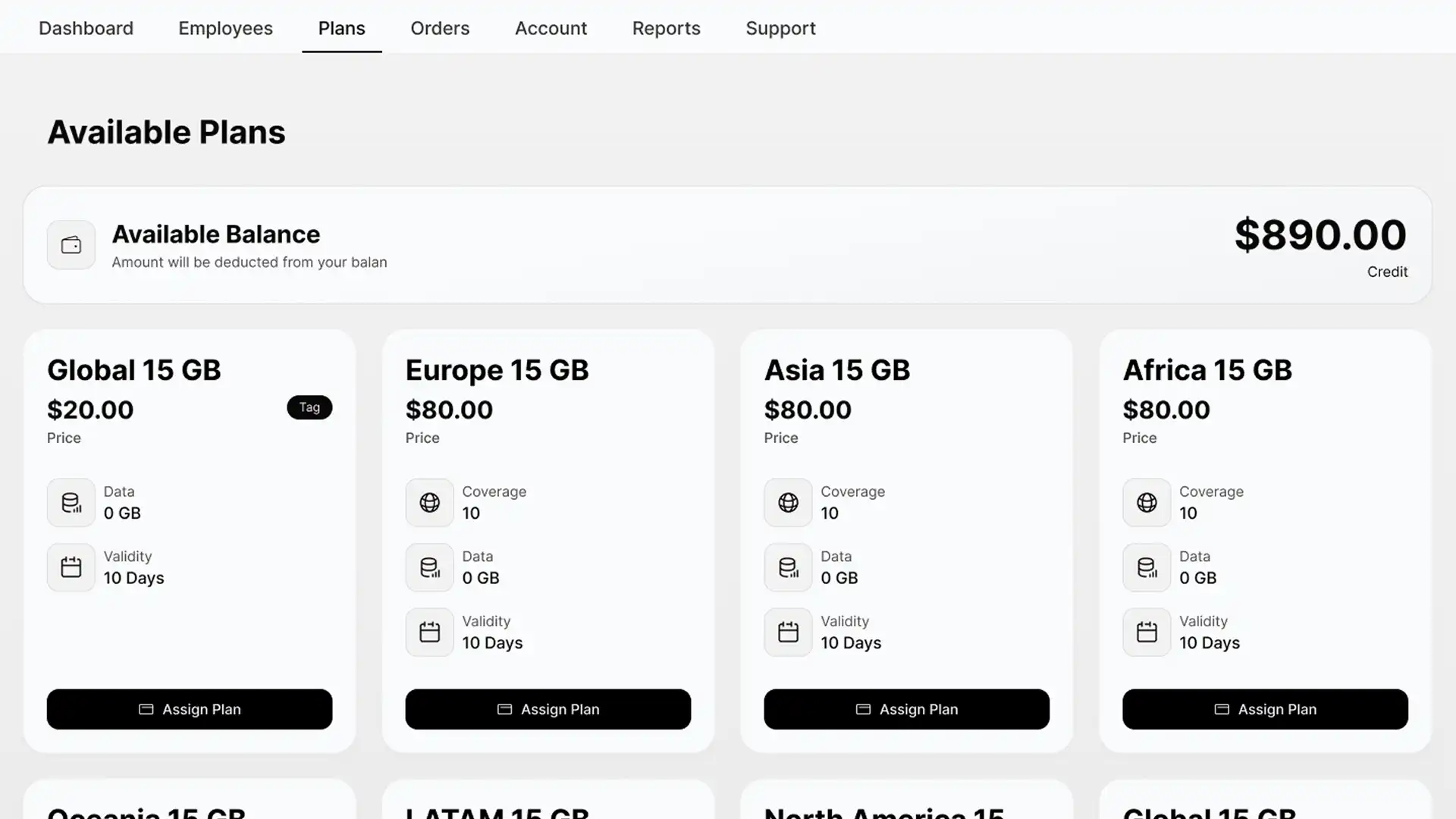
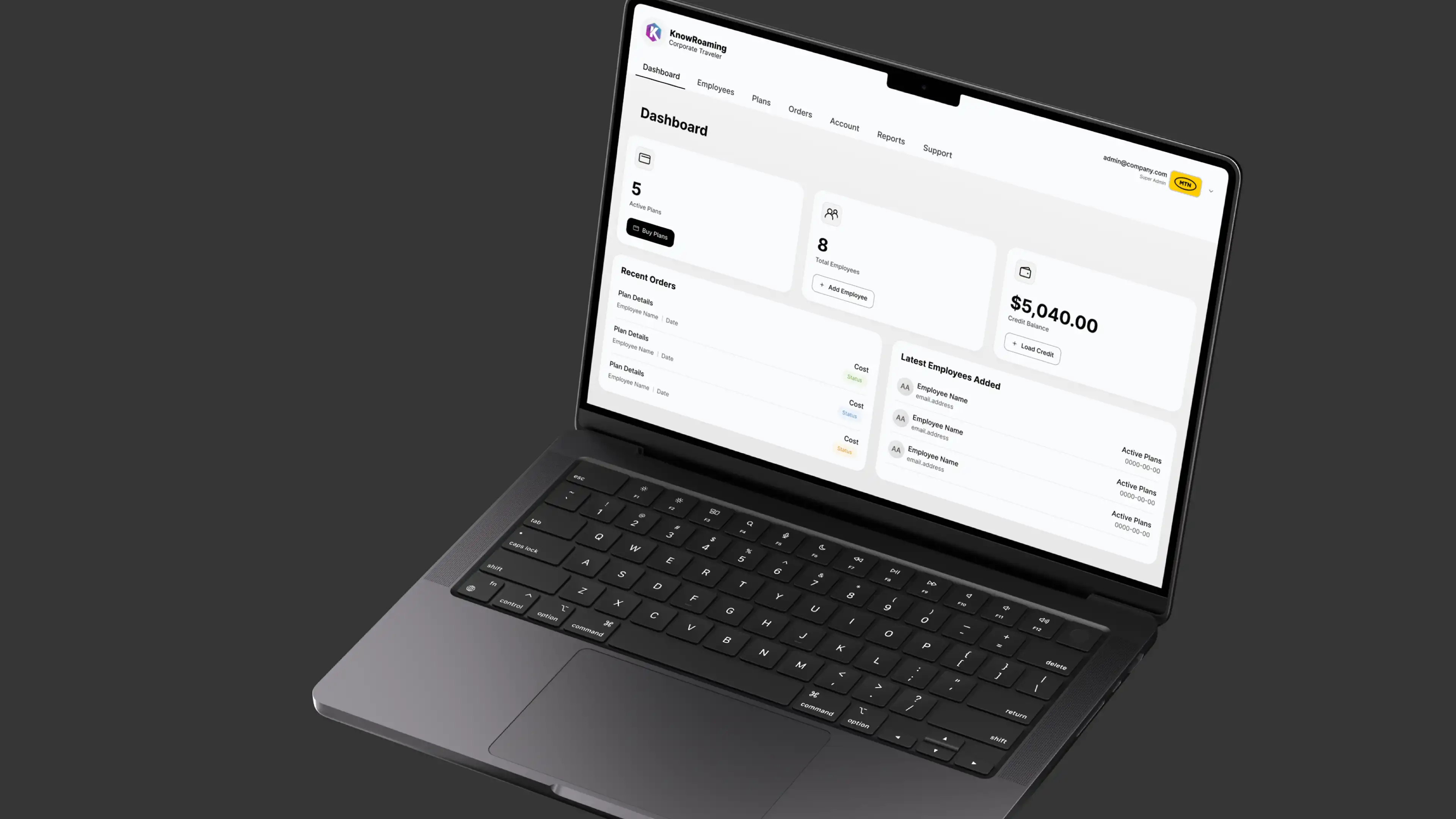
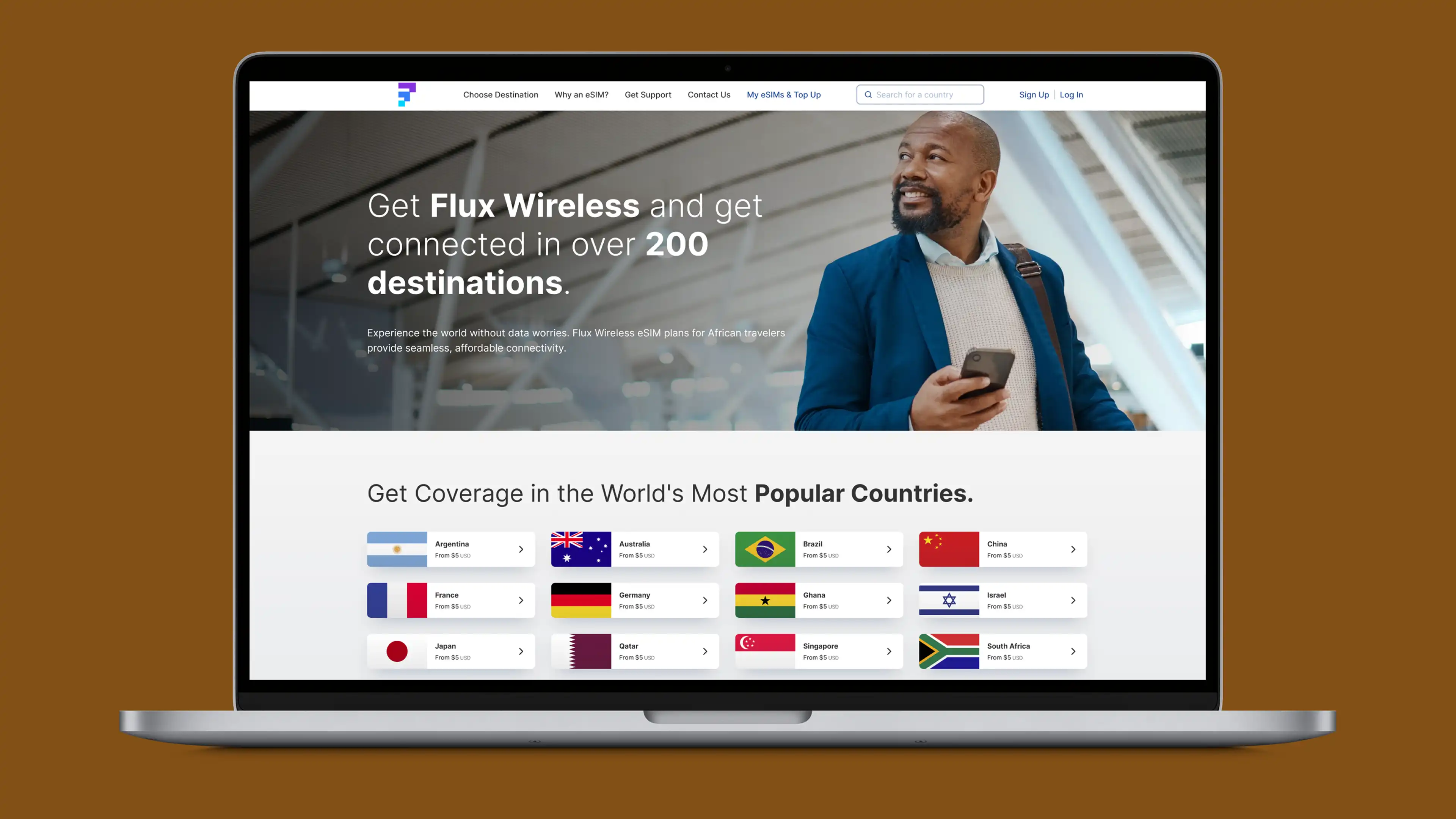
eSimplified sells eSIMs to consumers, but had no offering for companies that want to buy them in bulk - to allocate to employees, or to use as a benefit in a rewards scheme. The enterprise dashboard was a new product for their own client base, and it needed to work as a white-label template that could be branded for each prospective client.
The client came with user flows, requirements and a set of concepts generated in Figma Make. They were a quick way to show what the team had in mind, but the layouts weren't built on anything reusable. I rebuilt them in Figma on a proper design system, with components and variables that update in one place, and iterated on the flows and requirements as I went.
I was the product designer from April through to handover in June, working with the CEO, CMO, developers and the in-house designer. I iterated on the client's flows, built the design system and the high-fidelity template, and fully prototyped it.
The system has 50+ components, with variables handling the brand-level choices so a change flows through every screen. On top of it sit 15+ screens, prototyped end to end, and documentation so the internal team could extend it after I'd handed it over.
White-label templates have a habit of looking like every other dashboard. The challenge was giving this one some character while keeping the variables flexible enough for the team to iterate quickly in sales pitches and early concept work.
The dashboard was handed over in June, about three months after we started. The client was happy with the handover, and the internal team now makes changes themselves - they can brand a pitch version of the dashboard within hours. I've made small updates since.
Because I was changing parts of a design the client had already seen, I spent more time than usual with their team explaining why - usually to leave room for future adjustments in a template. That time was well spent, because it's what let them take the system over.
It also shaped how I use AI tools. Figma Make got the idea onto the screen fast, and I'm happy to start from that. The work I added was turning the idea into a system someone else can maintain.
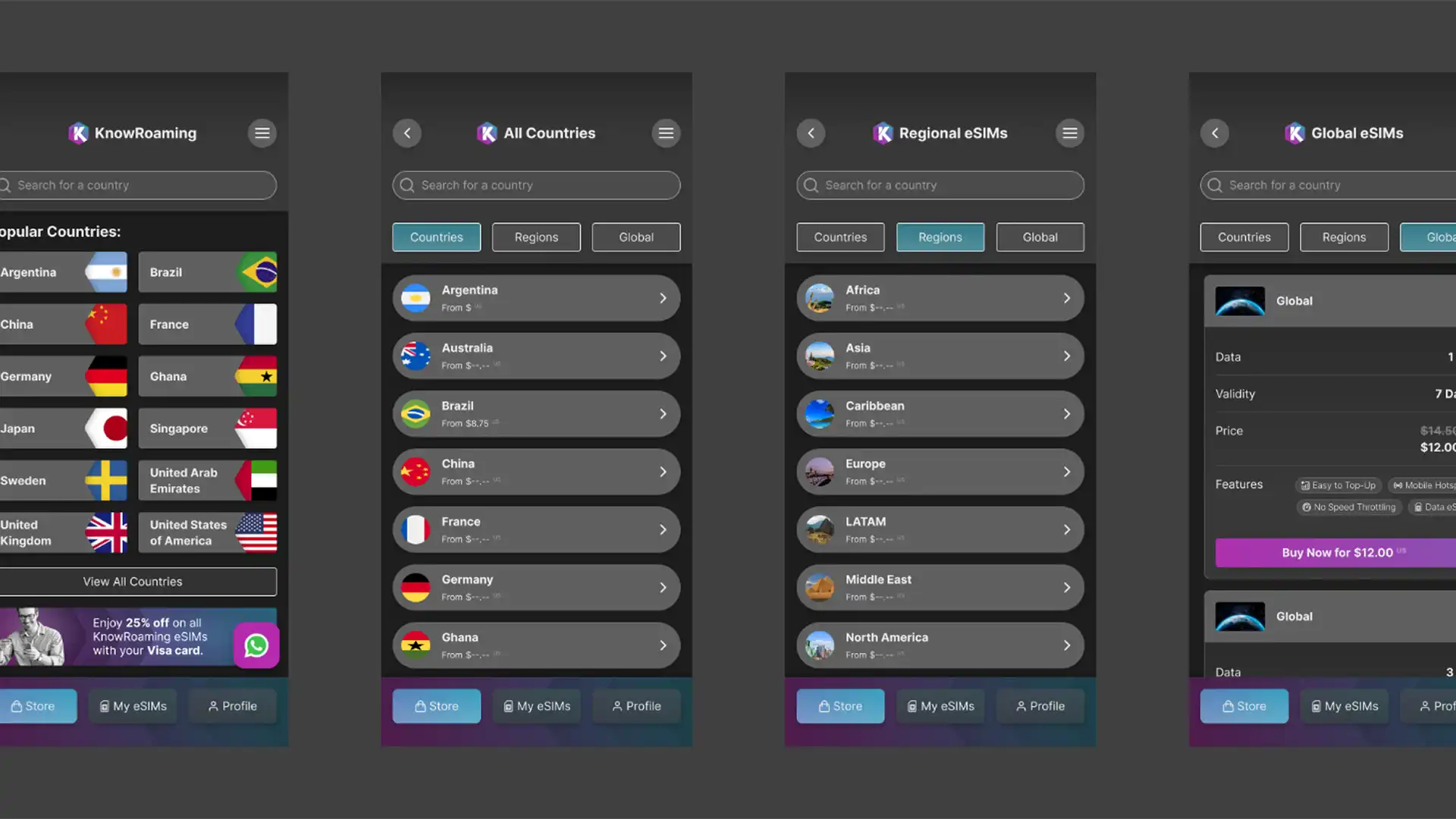
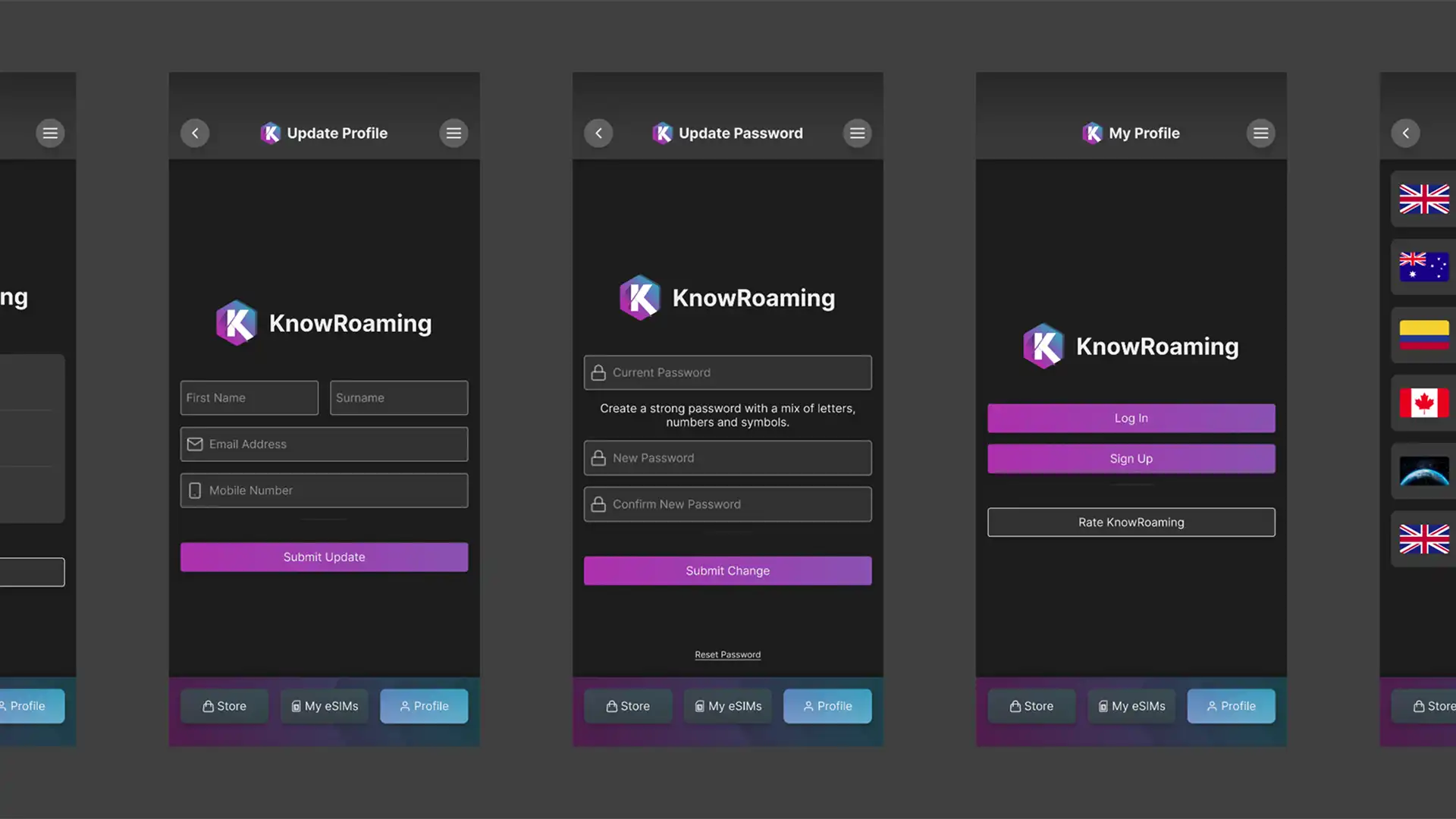
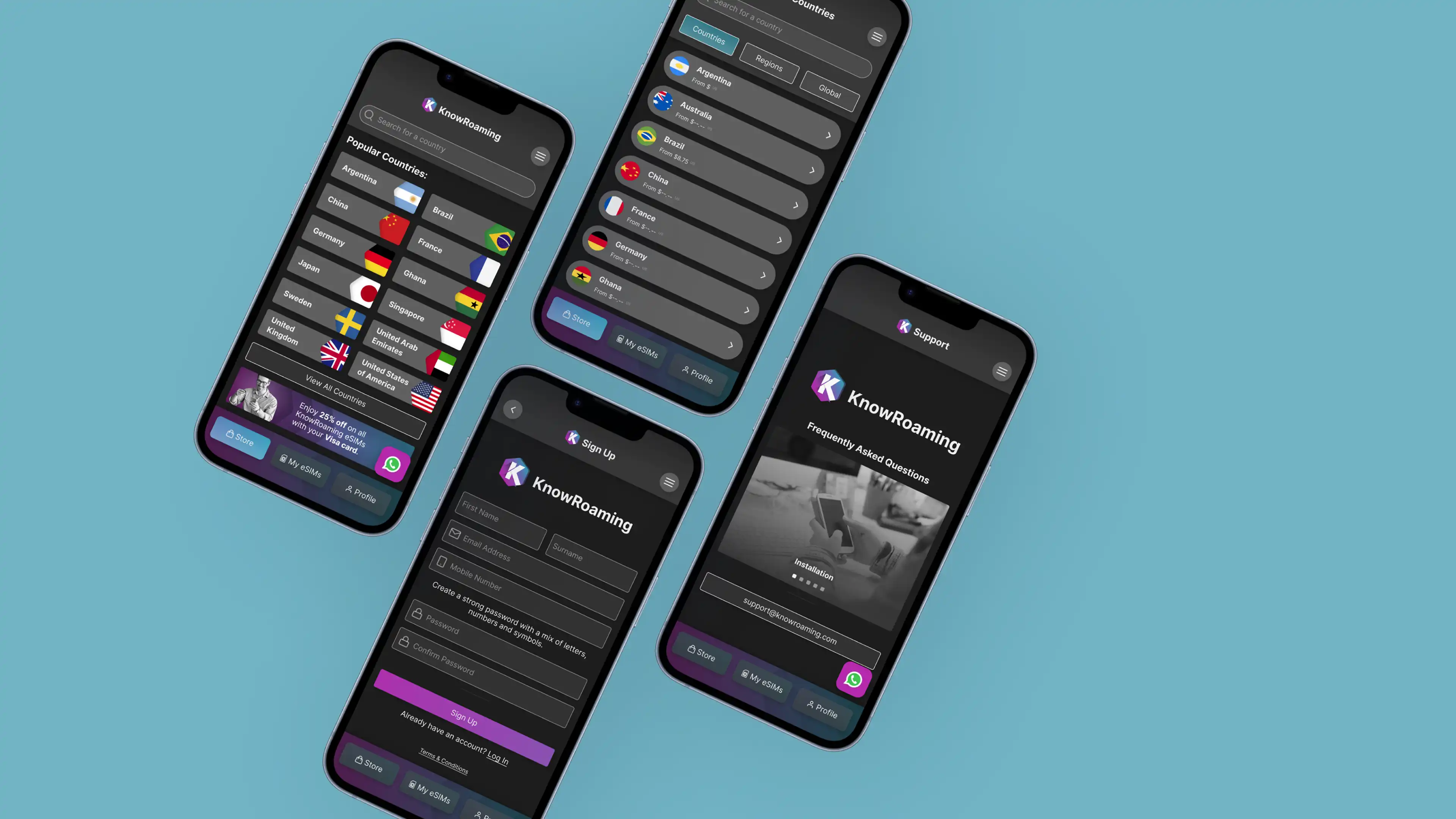
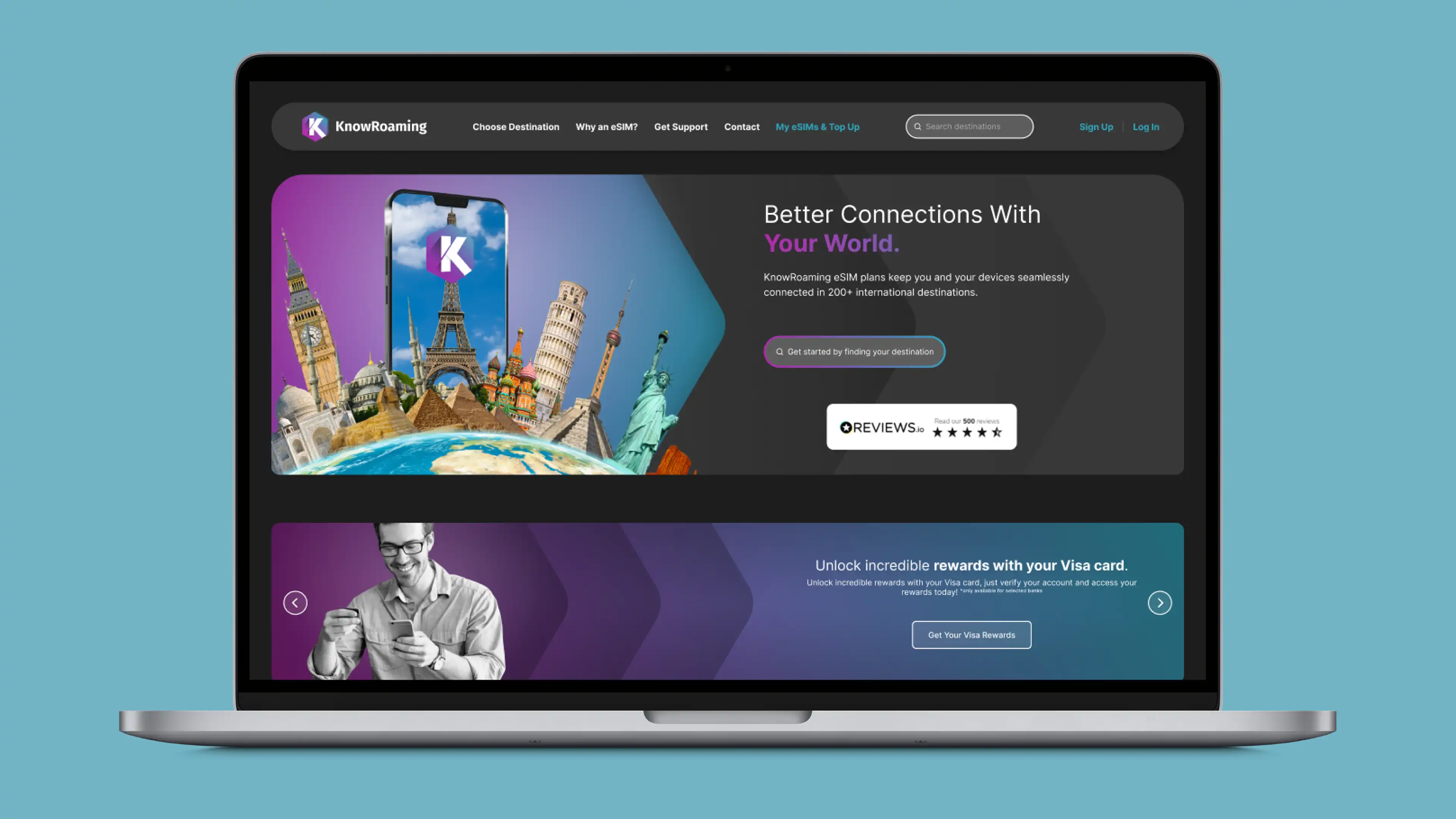
KnowRoaming already sold eSIMs through its web platform, and eSimplified wanted the same experience in a native app - somewhere travellers could buy an eSIM, install it on their phone and keep track of it without going back to a browser. The app had to feel like the same brand as the web platform, follow the conventions of each mobile platform and be easy to re-skin for partner brands.
I was the product designer on the project for around 8 - 9 months, working directly with the CTO and the internal development team alongside updates to the desktop platform. I scoped the user flows, designed the UI and built the design system in Figma (with Photoshop for imagery), then worked with the developers through the build.
Installing an eSIM involves a few technical steps that most people only go through once or twice, so I split the journey into three parts - buying a product, the purchase overview and the user profile - and framed each part around a question the user would ask:
Each question became a flow, and each flow had to answer its question in as few screens as possible.
The web platform already had a design language, so I carried it across into an atomic design system, with small components building up into larger patterns. That paid off in two ways. Flows could be rearranged quickly when testing showed something needed to change, and the whole app could be adapted for partner brands. It has since been used for 5+ brands, some live and some in pitches.
User testing reshaped two key parts of the design:
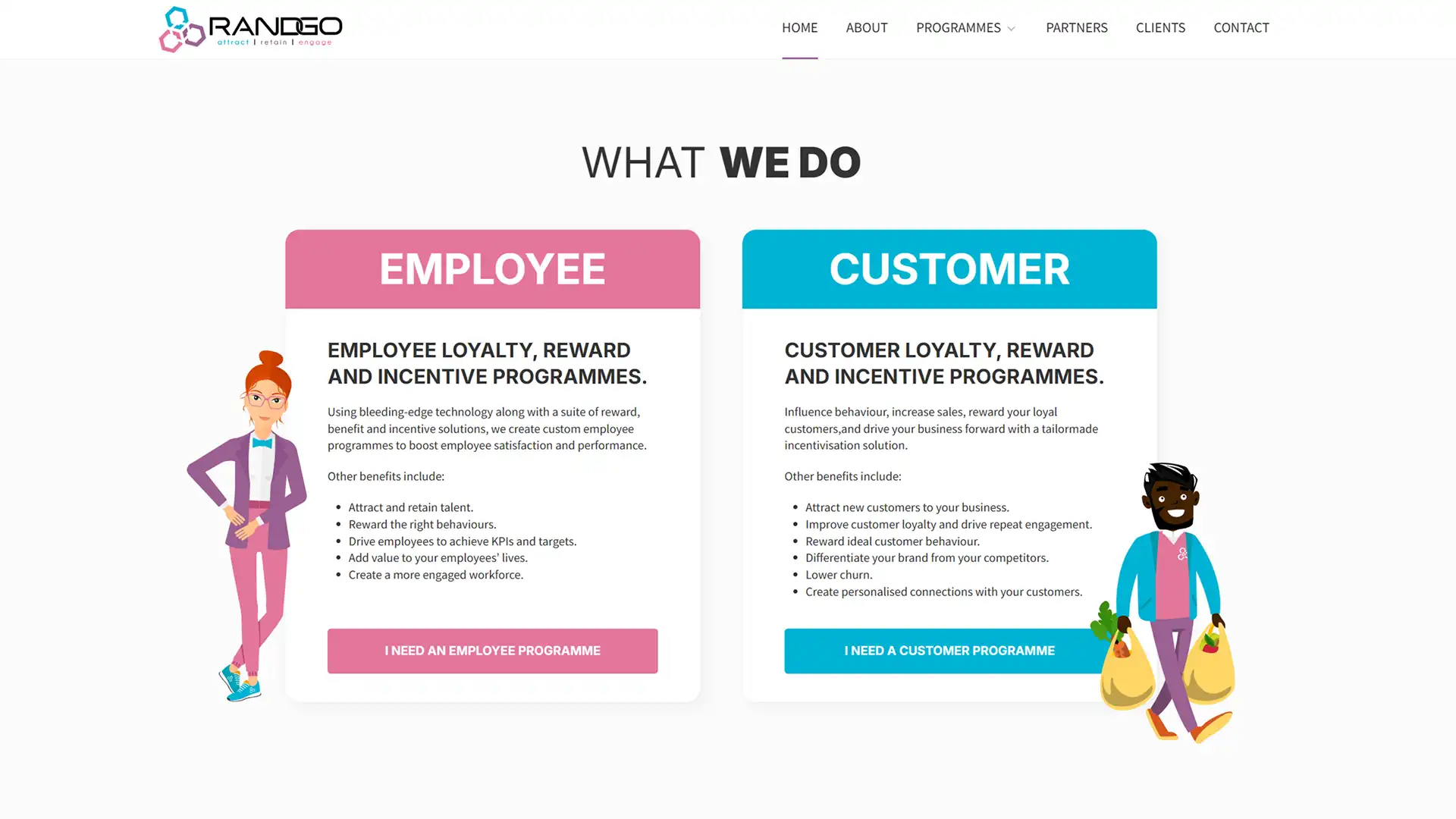
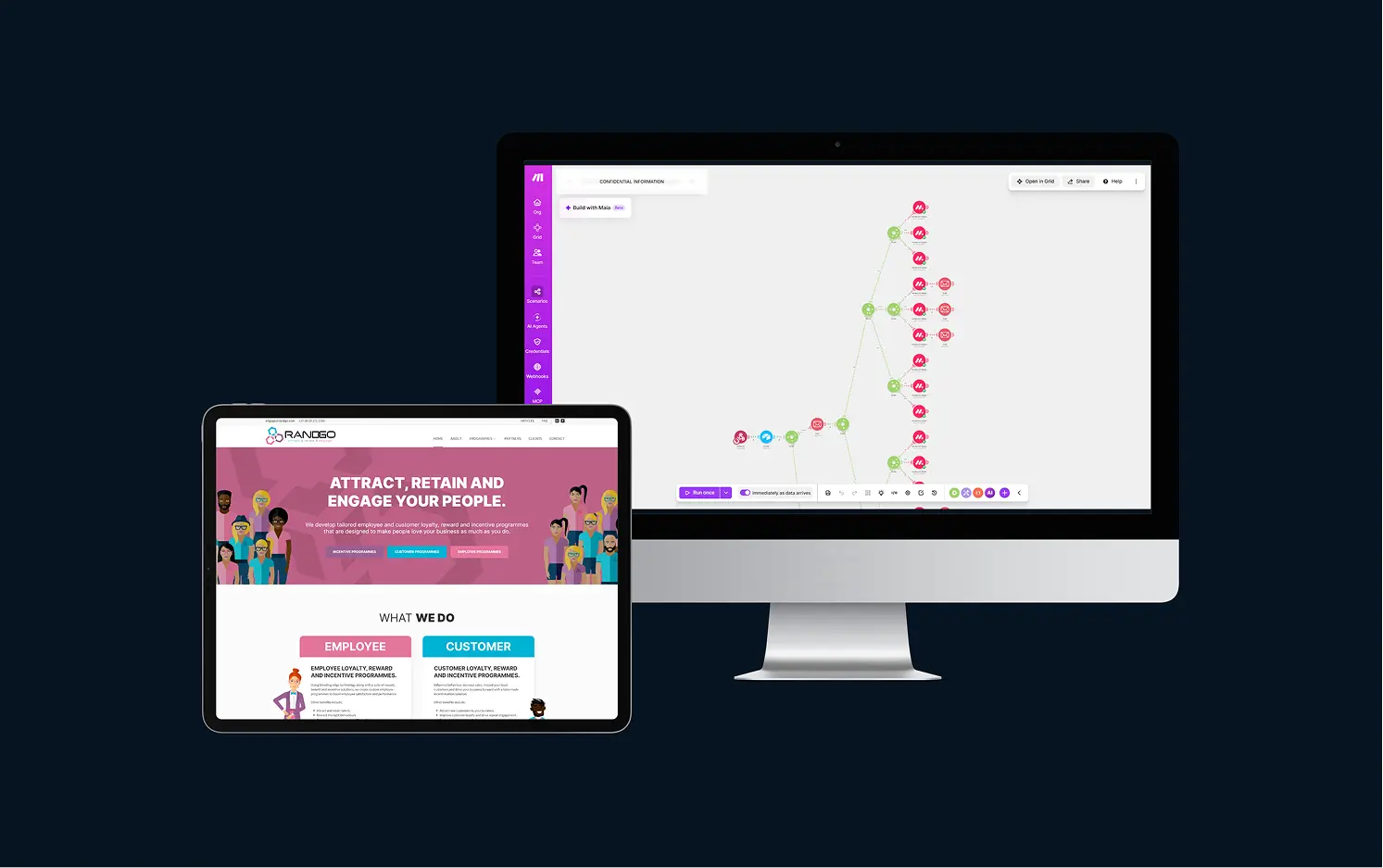
Randgo's corporate site ran on WordPress and had been built by an external firm that was no longer involved, which left the in-house marketing team unable to change much themselves. They wanted the site on a platform they could manage on their own, without losing any of the search visibility they'd built up.
I worked with the marketing manager and their in-house designer to rebuild the site in Webflow, moving 50+ pages and CMS items in about a month. The brief was a faithful replication with no redesign, which I enjoyed as a challenge - matching an existing site closely on a different platform takes its own kind of care. I kept all the SEO in place and set up the CMS and tools so the team could run the site without outside help.
Search rankings held steady through the move, and the client was happy to finally have control of their own platform.
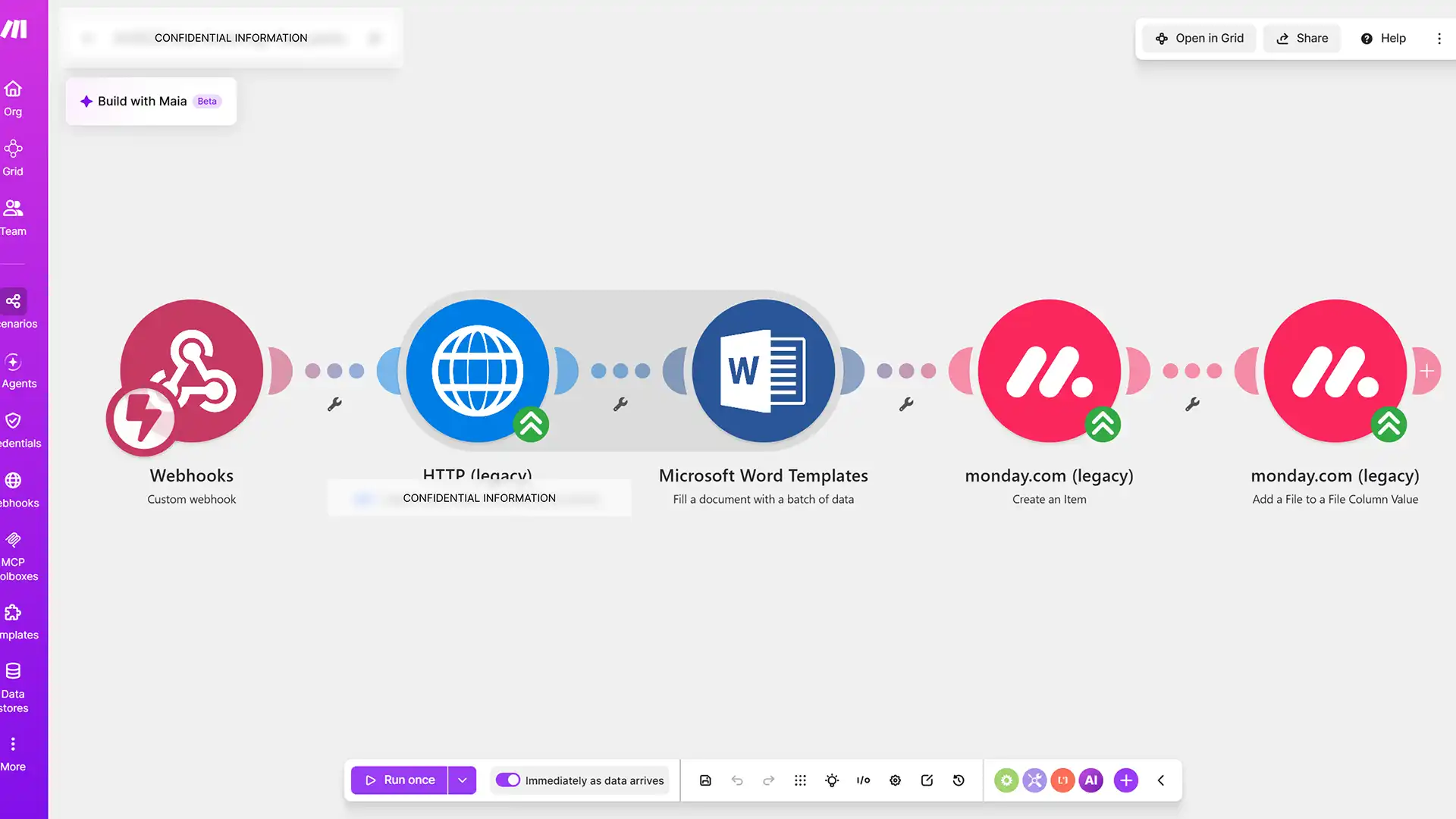
The client was moving data from one platform to another by hand, with time-consuming exports that someone had to remember to do. They needed it to happen automatically.
Data is captured in Airtable, Make.com scenarios filter and manage it, and the results are passed on to Monday.com through webhooks and direct connections. I hadn't used these tools together before, so I taught myself the setup as I went, and I wrote a PRD so the client has a clear record of how it all fits together.
The pipeline syncs 1,000+ records a month and saves the team 10+ hours of manual exports every week, and the client reports more productive data capture. I'm still supporting it as their needs change.
Both projects came down to the same thing: giving the client's team control of their own tools, with documentation to back it up.
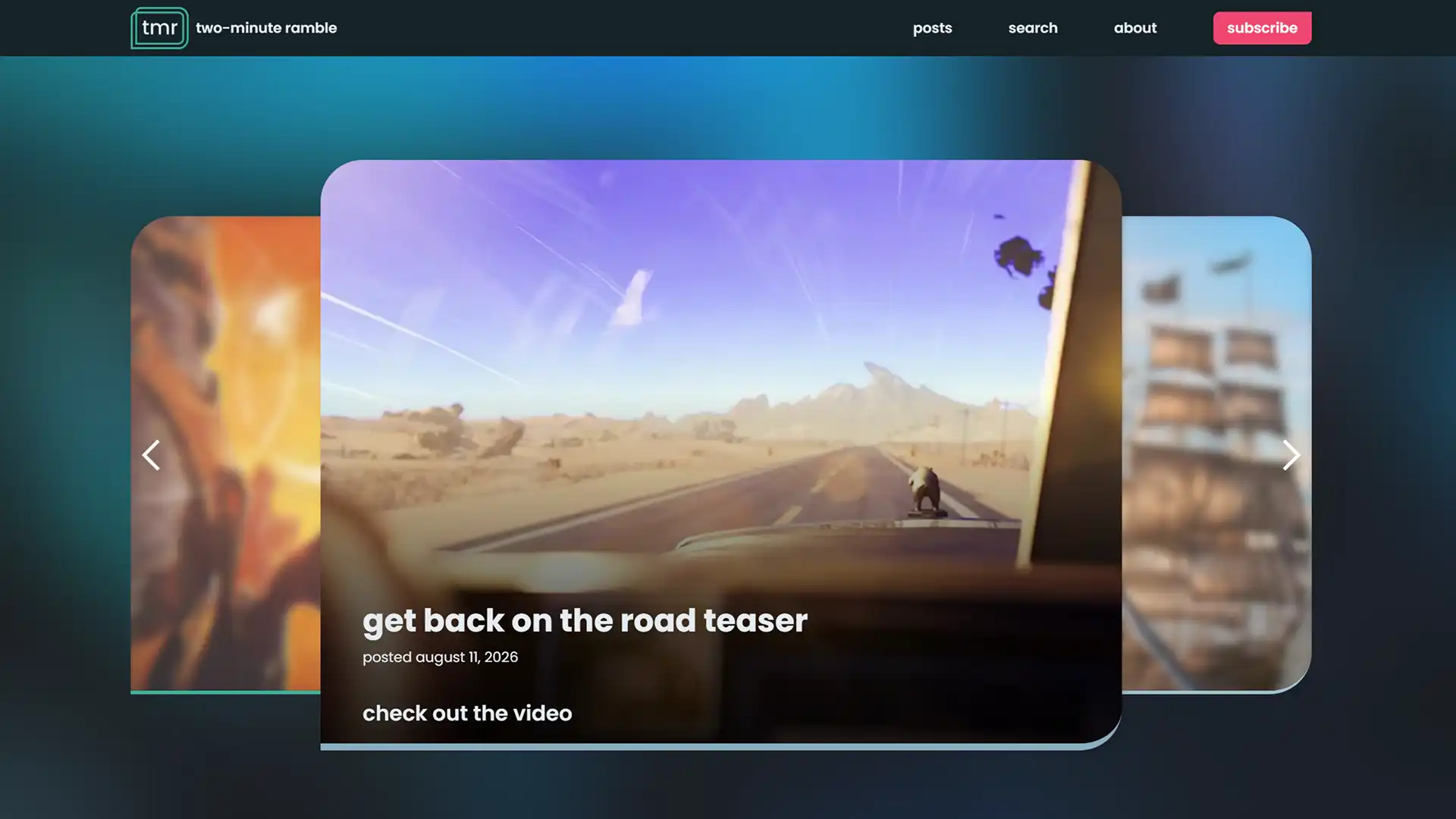
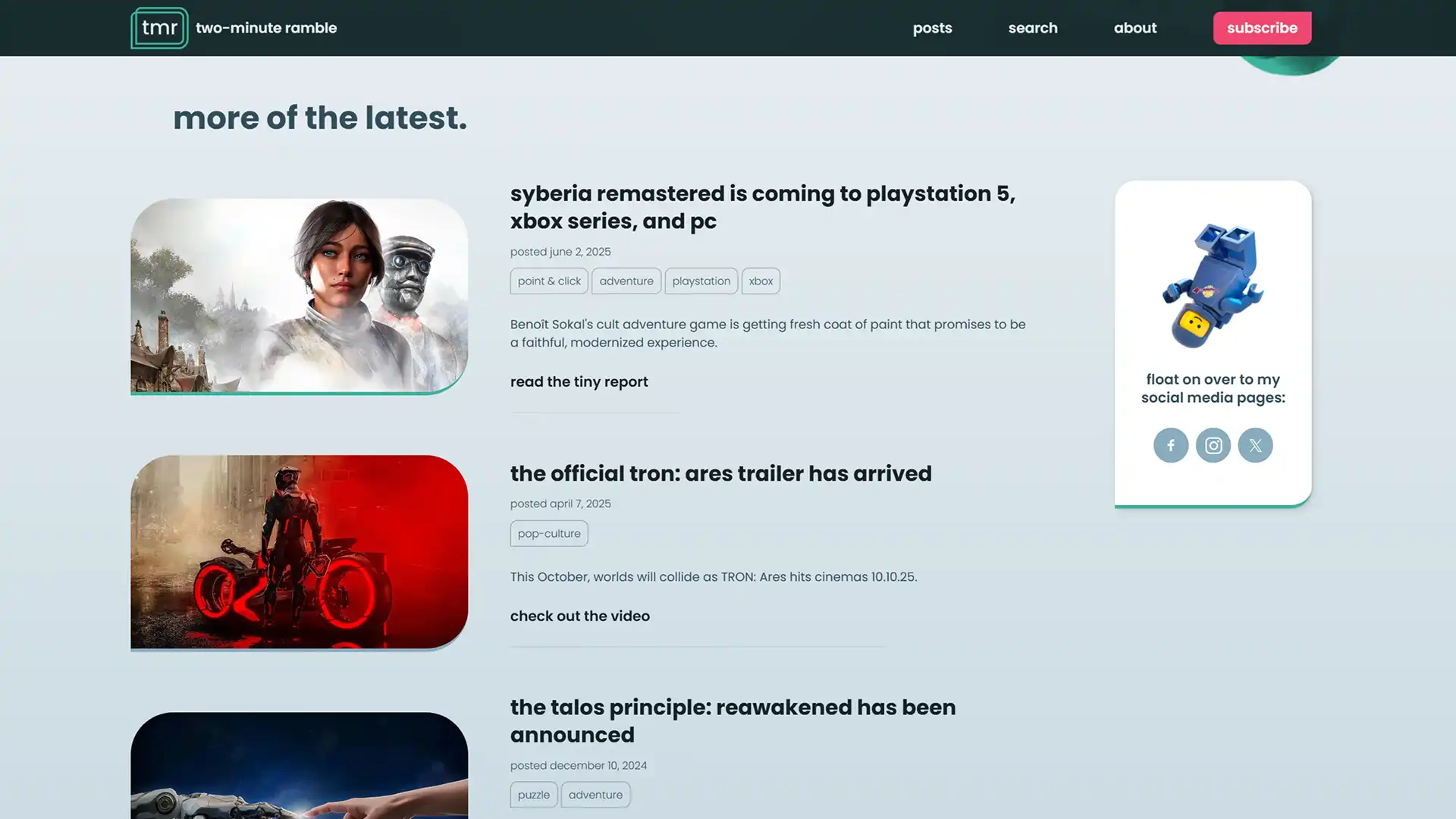
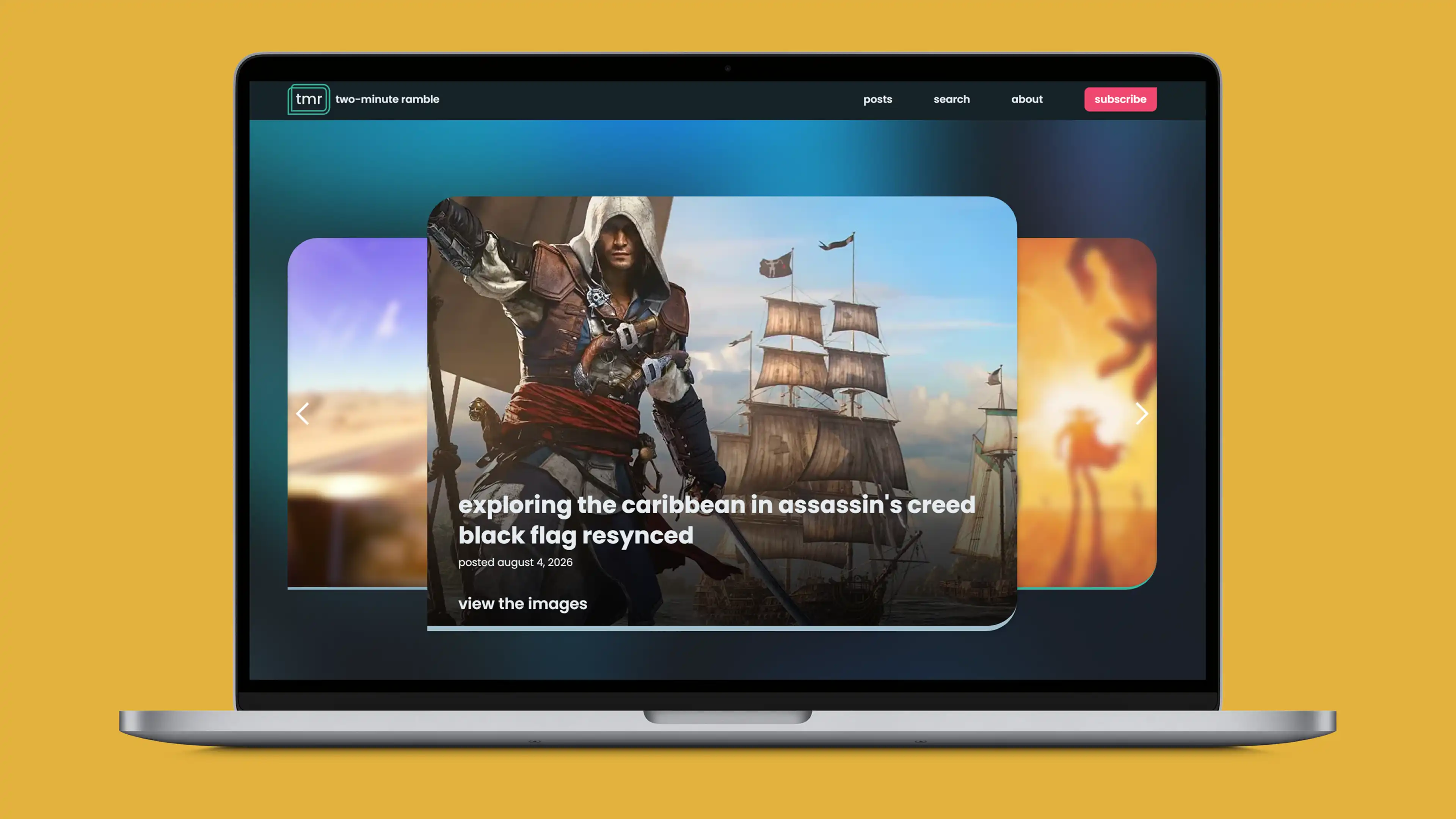
For years I'd designed things and then waited for a developer to build them. I wanted to learn a new skill and build something end to end myself, so I picked Webflow - a low-code tool where my HTML, CSS and database-structuring experience would carry over - and started from a blank canvas with no templates.
The idea was a blog about the things I enjoy, with posts short enough to read "over a quick cup of coffee in the morning". It also gave me a live project to practise content management, responsive and accessible layout, and SEO.
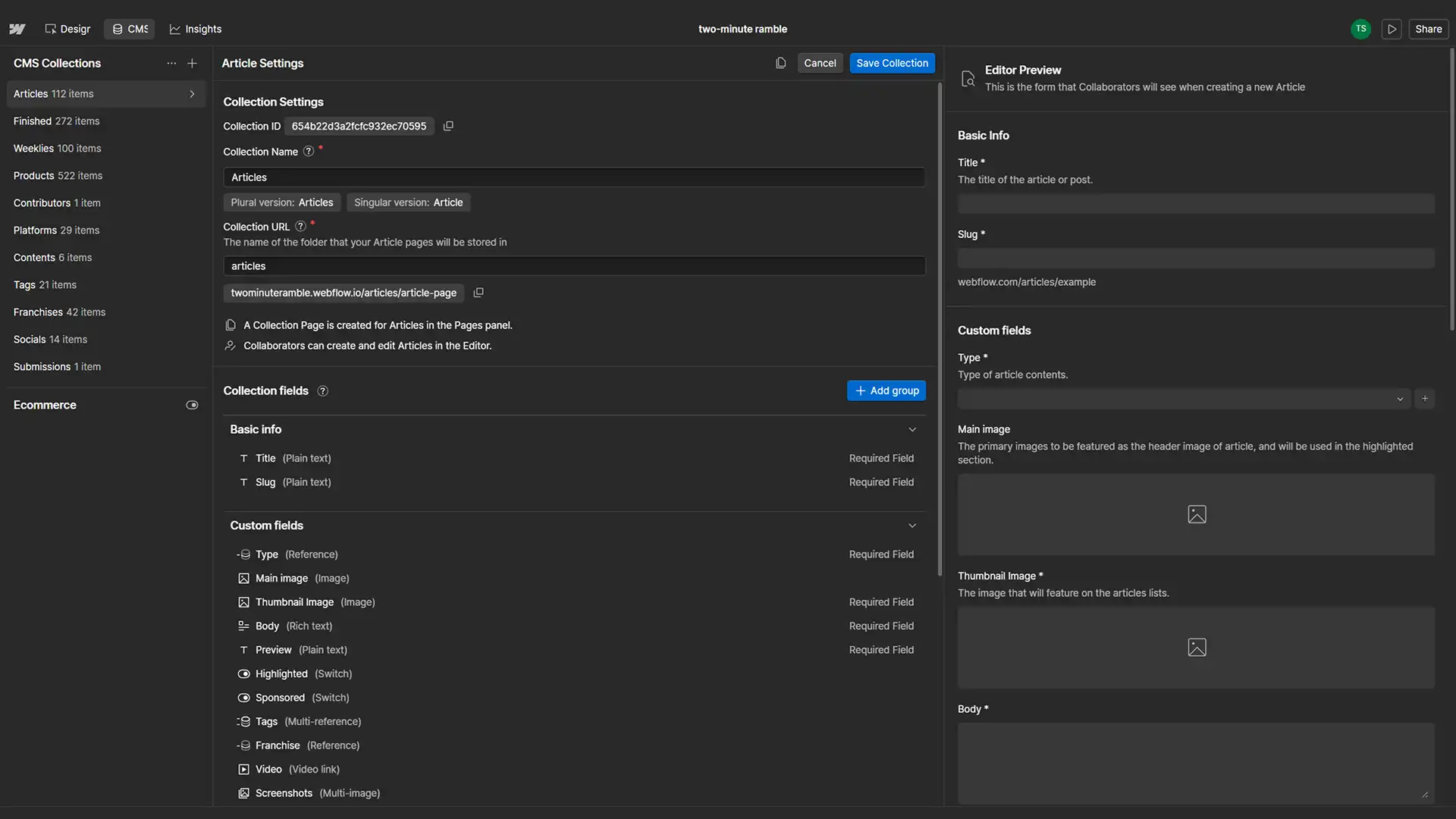
I designed the content model before the pages. Posts come in four types - written pieces, tiny reports, videos and screenshot galleries - and are linked to each other by taxonomy, such as gaming platform or franchise, so franchise pages gather every related post in one place.
On top of that I added the features a real content site needs:
I've written all 112 posts myself, from tiny reports of around 120 words to longer pieces of 350 or so. Writing the content as well as building the platform meant I was my own first user: any awkward CMS field or missing link showed up the moment I tried to publish something.
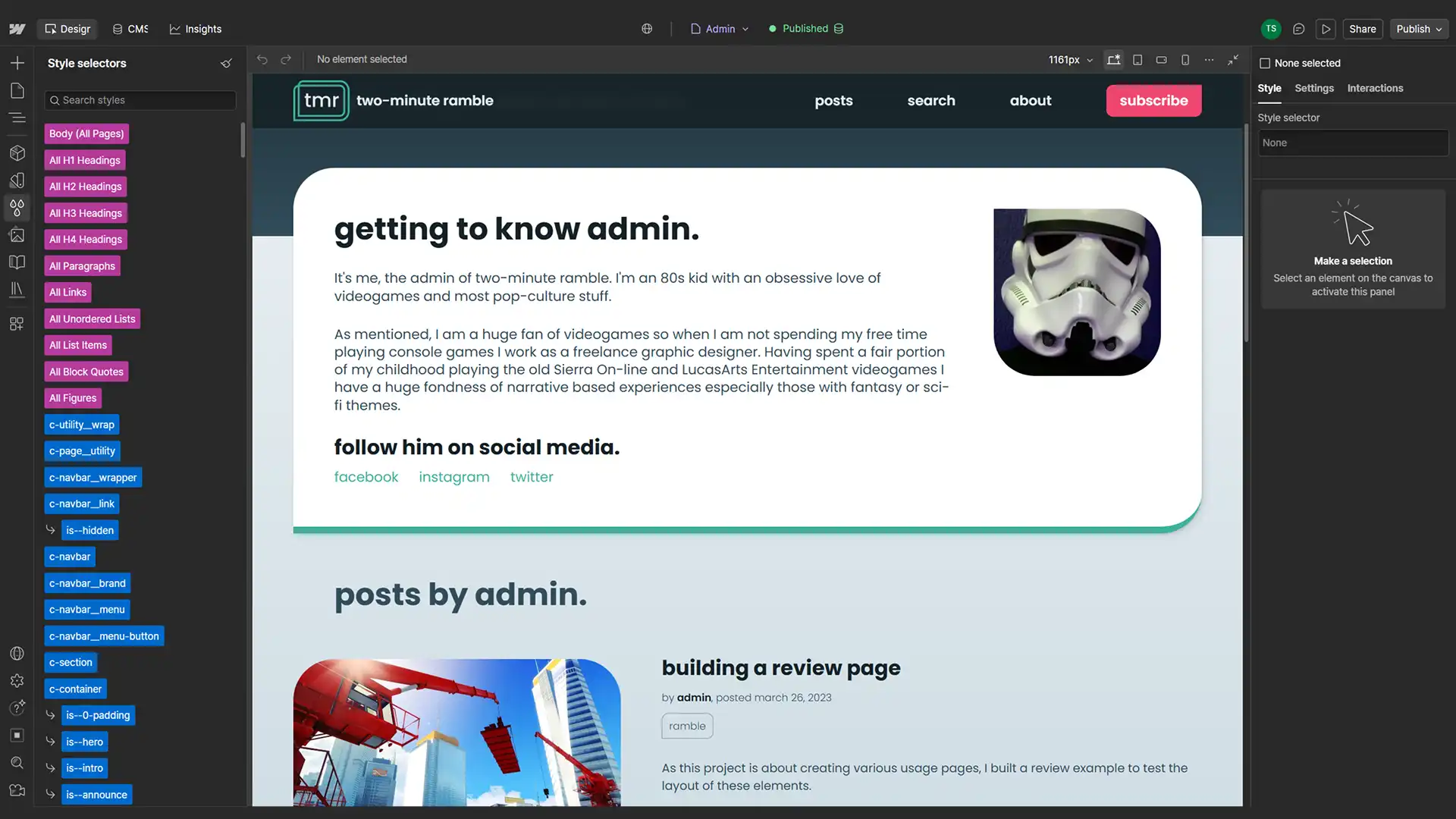
The site built up modest but growing organic traffic with no ad budget. When work took priority I let the purchased domain lapse, and the traffic history went with it, but the site is still live on its Webflow address and I still post when I can.
In keeping with the site, a quick self-review.
Pros
Cons
two-minute ramble was a turning point. It was the first thing I built entirely on my own - learning the skills, building the platform and producing the content without relying on anyone else. It also changed how I work with developers. Knowing how a CMS and a build fit together means I hand over cleaner specs, and I can test a prototype idea myself before asking anyone else to.